4 OPTIONS · COMPARE THE DETAILS
A quick look before you choose
Begin with your recording method. For occasional direct distances, inspect the GLM100-23. For on-device calculations, compare the 165-22 and 165-25G. Shortlist the 165-27CG when you specifically want to test the MeasureOn connection.
Jump to the comparisonThe short version
Match the tool to your project
Begin with your recording method. For occasional direct distances, inspect the GLM100-23. For on-device calculations, compare the 165-22 and 165-25G. Shortlist the 165-27CG when you specifically want to test the MeasureOn connection.
A good fit if…
You are recording room dimensions and deciding between a handwritten notebook, on-device calculations and a compatible phone workflow.
Look elsewhere if…
Your main task is measuring small objects or detailed openings where a conventional tape is the more suitable starting point.
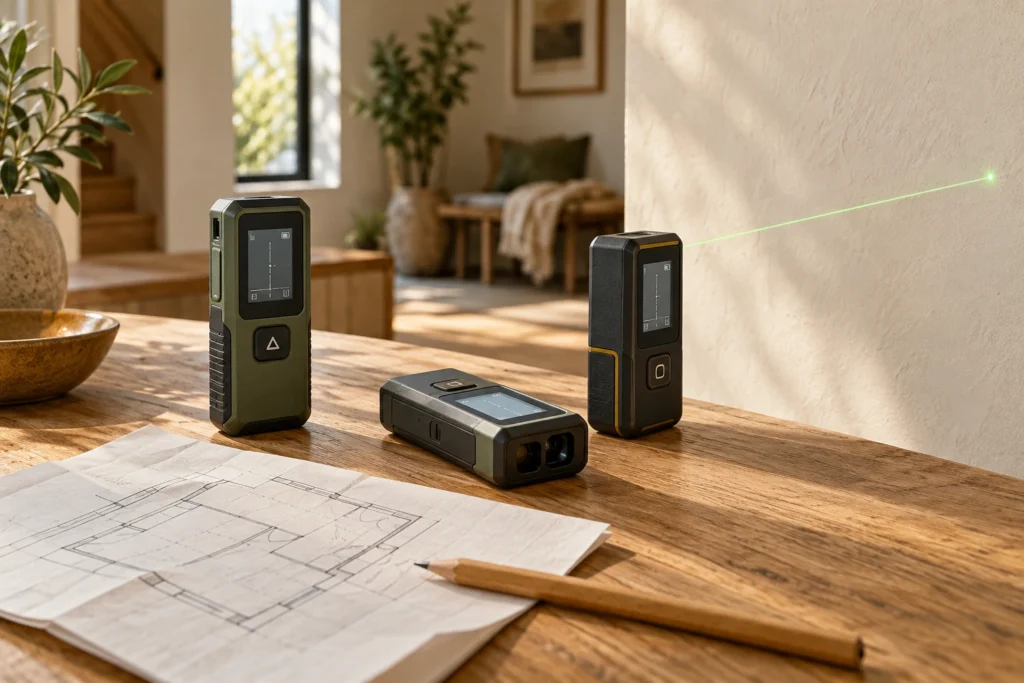
Compare the GLM100-23, GLM165-22, GLM165-25G and GLM165-27CG by how you want to record a room. The useful difference may be the workflow rather than the longest range.
Start with the record you need
A homeowner measuring one room may want a labelled sketch and a handful of dimensions. Someone documenting several spaces may care more about moving readings into a compatible app. Those are different jobs. Choose the process first, then check which model supports it. None of these tools can decide which wall you meant, whether a cupboard obstructed the endpoint or whether a measurement is suitable for an installer’s final order.
Separate beam colour from connectivity
The green-beam 165-25G is not connected, while the 165-27CG includes Bluetooth transfer to MeasureOn. Do not infer app support from the colour of the laser or a similar-looking case. Likewise, our own browser room notebook accepts your entries; it does not claim direct Bluetooth integration with these devices. Test the manufacturer app on your phone if that connection is the main reason to buy.
What the specification does not decide
Published range and ordinary measuring accuracy are not guarantees for every target and condition. Follow the current manual about reference points, target surfaces and operating limits. Bosch also publishes separate stakeout accuracy qualifications for relevant models and date codes. If that function matters, read the current notes rather than copying the general accuracy number into your decision.
Try a small room record first
Before building a whole-house file, record one room with named walls, dates and units. Repeat the dimensions that will govern a purchase, then open the exported or written record and check that someone else could follow it. A compatible phone workflow is useful only if the retained information is understandable. Keep a tape for physical objects and details that call for another measuring approach.
Make the purchase check specific
Confirm the full model suffix, battery package and current manual. The 27CG and rechargeable-package 27CGL are not identical listings. Compare current seller terms without treating this page as a live stock or price feed. The four choices here are researched from manufacturer material; we have not tested calibration or ranked their real-world accuracy.
Explore each product
Bosch BLAZE GLM165-27CG review
Strengths
- Different forms and ownership requirements compared in one place.
- Manufacturer sources and individual guides are linked.
Limitations
- This is a research comparison, not a hands-on test.
- Variants, availability and instructions can change.
The details, side by side
Compare dimensions, power, setup and ownership details for the work you have in mind.
Swipe or scroll sideways to compare all products →
| What matters to you | Bosch BLAZE GLM100-23Simple direct distances | Bosch BLAZE GLM165-22On-device area calculations | Bosch BLAZE GLM165-25GGreen beam, manual records | Bosch BLAZE GLM165-27CGMeasureOn phone transfer |
|---|---|---|---|---|
| A good fit for | Consider it for a room notebook when manual recording suits the way you work. | Consider it when several rooms need distance and area notes, without a connected-phone requirement. | Consider it when identifying the target point is part of your selection criteria and you want calculations on the tool. | Consider it for repeated room documentation when you are willing to check and maintain a compatible phone workflow. |
| Product format | A straightforward indoor distance-measuring option for readers who want to write down their own room dimensions. | A red-beam option for readers who want on-device area calculations while keeping their records independently. | A green-beam alternative for a manual room-recording workflow, with no Bluetooth transfer to manage. | The connected choice in this shortlist for people who want to move measurements into Bosch MeasureOn. |
| Before you buy | Check the minimum measurement, reference settings, target requirements and included batteries in the current manual. | Read the exact model manual and Bosch accuracy/date-code notes, especially if you intend to use stakeout. | Confirm the 25G model, its operating conditions and current stakeout notes; do not confuse it with the connected 27CG. | Check your phone against the current MeasureOn requirements, confirm the battery package and read the accuracy notes. |
| The trade-off | This model does not transfer measurements to a phone. A room record still depends on correct targeting and labelling. | Area functions do not establish an installation quantity, and the product is not connected to MeasureOn. | Green-beam visibility is not a guarantee of accuracy on every surface or in outdoor sunlight. | Bluetooth support does not mean direct integration with every room-planning app, including the tools on this site. |
| Take a closer look |