
A materials board becomes useful when it connects the look you like with the details you need to order it. A photograph of warm timber is inspiration. A named sample with a supplier, finish code, size and intended location is a decision you can return to. Keep those two kinds of entry distinct.
Start with one room and the things that will stay. Existing flooring, a fixed worktop or a piece of furniture can anchor the choices around it. Adding more attractive samples without acknowledging those fixed elements often makes a board harder to use rather than more complete.
Give each sample a job
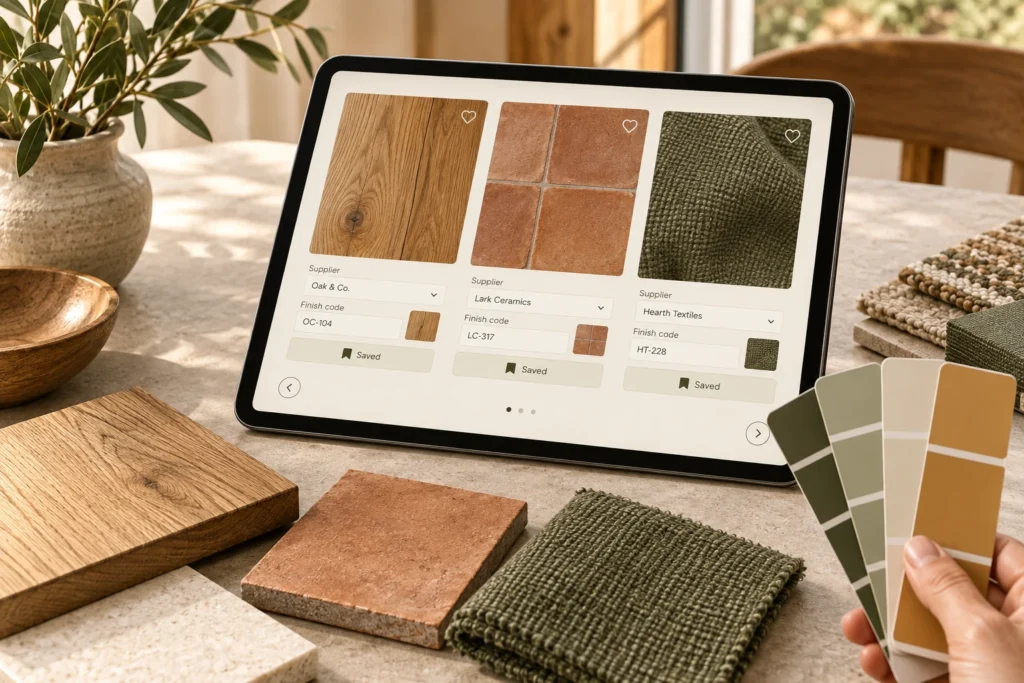
Label entries by their intended role: wall finish, cabinet surface, curtain fabric or furniture timber. Add the exact product name and code if it is a real candidate. If the image is only a reference, mark it as inspiration and write what you like about it, such as its texture or relationship with another colour.
This distinction prevents an inspiration image from becoming an accidental purchase instruction. A contractor or supplier should not have to guess whether you want a particular product, a similar tone or simply the atmosphere of a room photograph.
Keep the shortlist small enough to compare
Choose a few candidates for each unresolved decision and keep rejected options in a separate note. For each rejection, write the reason: too reflective under the evening light, difficult to source in the required size, or outside the budget. That stops the same option returning to the shortlist every time you browse.
A useful board does not need to contain every possible material. Begin with the largest or least changeable surface, then add the elements that sit beside it. Compare the combination rather than deciding each finish in isolation on a different day.
Bring real samples into the room
Screen colours and photographs are not reliable substitutes for physical samples. Request samples where available and compare them beside the existing surfaces. Look at them under the lighting you actually use, including the evening setting. Keep the product labels attached so two similar samples do not become anonymous squares.
Record the finish and texture as well as the colour. A surface that looks calm in a small online thumbnail may reflect light differently at room scale. Ask the supplier about suitability, care and the format in which the product will be supplied. Do not infer those properties from the way a photograph looks.
Add the ordering details before approval
For a selected item, record the supplier link, model or finish code, required dimensions, quantity basis and date checked. Keep the current quote with the project budget rather than hard-coding a price into an inspiration note. Add unresolved questions about availability, batch matching or delivery before anyone places an order.
If a substitute is proposed, add it as a separate candidate. Compare it with the agreed sample instead of quietly replacing the image on the approved board. Save a dated copy of the final selection so the household and any contractor are referring to the same version.
Export the board for discussion, but retain the editable project and its source notes. A PNG is helpful for seeing the combination; a table or project record carries the details needed to buy. Together they should explain both what the room is meant to feel like and exactly which decisions have been made, without asking a picture to do the work of a product specification.
Open Finish Materials to organise your own inputs and keep an editable project.